

In April 2020, Microsoft launched Microsoft 365, the successor to its popular Office 365. But it’s not a mere name change. The tech giant is also introducing improvements to its productivity software that will enhance how your business deals with cyberthreats every day.
Microsoft 365 signals a new era of productivity for SMBs

Secure Windows and Office for your work from home staff

Microsoft’s software offerings are filled with features that allow and even augment enterprise work from home (WFH) setups without sacrificing security. Here are some updates about the company’s applications, as well as other common third-party applications in the Windows and Office ecosystems, which will ensure data security when you’re working remotely.
Our favorite remote working tools

Remote work is on the rise like never before as companies are pressured to sustain operations amidst the COVID-19 pandemic. But even before massive business disruptions, remote working has been a growing trend. Many have been enjoying work-from-home setups with the help of the right tools.
Boosting productivity with Workplace Analytics

Workplace Analytics allows managers to assess their employees’ performance using the data gathered from Office 365. Unlike past Microsoft productivity tools that showed only the user’s own information, Workplace Analytics allows both employees and managers to view each others’ performance data.
Rediscover Office 365 with Surface
Microsoft’s Surface line does not only have the most powerful Intel Core processors, but it also offers unprecedented integration with Office 365. With unique touchscreen capabilities and advanced accessories, Surface devices enable you to work with the popular productivity suite in new and exciting ways.
Microsoft Office 2019 vs. Office 365: A comparison
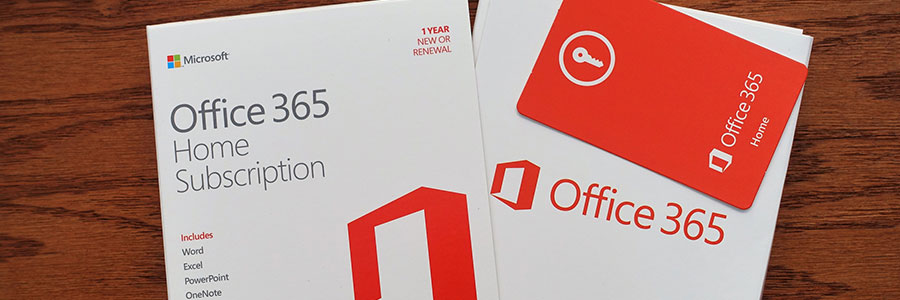
Microsoft Office is one of the most popular productivity suites for businesses. Over the years, Microsoft has released several versions of the product, all of which were designed to target different users or update outdated features. Two of the suite’s latest iterations, Office 365 and Microsoft Office 2019, contain many of the same standard applications, but users should pay close attention to their differences when deciding which one to purchase.
Save time with Bookings by Office 365

We all undeniably have hectic schedules, and they’re made even worse with unorganized meetings, impromptu playdates, and unscheduled yoga classes. To move or cancel appointments, your clients would generally have to pick up the phone and call someone, which can be a drag.
Let Office 365 help you save the date

Arranging meetings that work with everyone’s schedules is a pain — especially if participants don’t work in your office. A calendar that is easy to share publicly simplifies everything from scheduling calls with clients to quarterly meetings with business partners.
Choose the best Office 365 plan

Office 365 has become the go-to all-in-one tool for businesses in recent years. With different Office 365 plans — Business, Business Premium, Enterprise E1, E3, and E5 — you can have a set of services and features that are perfect for your business.
Work Smarter in Outlook with these tips

People are constantly searching for an easier way to keep their email inboxes in order, customize their email signatures, and improve group communications. The good news is that Microsoft Outlook has these features built in, you just need to know where to look.